John F. Kennedy International Airport does not have a Terminal 2 or a Terminal 3, and that one detail explains a good share of the confusion travelers run into. People count the numbers on the signs, assume something is missing, and start second-guessing a boarding pass that was correct all along. Once you know which buildings are actually in service and how the airport maps are laid out, getting around JFK becomes a matter of checking two or three things before you leave home rather than improvising at the curb.
This guide sticks to what the airport itself publishes: the active terminal list, the official interactive and static maps, and the airline resources that fill in the details. Where a specific service, pickup point, or timing window matters, the safest move is always to confirm it with the airport or your airline directly on the day you travel.
Five Active Terminals, Two Retired Numbers
All flights at JFK currently operate from five active terminals: 1, 4, 5, 7, and 8. The missing numbers are not under renovation and they are not seasonal. Terminal 3 was demolished in 2013, and Terminal 2 was shut down in 2023. That means the numbering on signage and in apps will always skip 2 and 3, no matter how many times you walk the length of the airport looking for them.
| Terminal | Current status |
|---|---|
| Terminal 1 | Active |
| Terminal 2 | Closed, shut down in 2023 |
| Terminal 3 | Demolished in 2013 |
| Terminal 4 | Active |
| Terminal 5 | Active |
| Terminal 7 | Active |
| Terminal 8 | Active |
Your airline assigns the terminal, and it appears on your ticket confirmation long before you arrive. Treat that assignment as the anchor for everything else, including which map you open, where you ask to be dropped off, and how much time you build in. Each terminal is its own building rather than a wing off a single central hall, and the airport’s maps show AirTrain stations sitting among the terminals and parking lots, so the building name you were given is genuinely where you need to go.
Start With the Official JFK Map
The airport publishes an interactive map that is the single most useful tool for planning a trip through JFK. It is designed to help you find your way between terminals and gates, and to locate the things that usually cause the most last-minute stress: shopping, dining, the AirTrain, general amenities, and the areas set aside for ride pick-up and drop-off.
What the Interactive Map Covers
Rather than guessing at a directory board once you are inside, you can pull up the map ahead of time and check the pieces of your journey in order:
- Routes between terminals if your itinerary involves a change of building
- Gate locations so you know how far you are walking after security
- Restaurants and shops, including full-service and quick-service options
- AirTrain stations and connections
- General amenities and services
- Ride app pick-up and drop-off zones
The map also carries layers for airline check-in, lounges and clubs, and public art, which makes it useful for a long layover as well as a tight connection. Open it at maps.jfkairport.com and zoom in on your terminal, then screenshot the section you need. Airport wifi is rarely the thing you want to be relying on while walking with a suitcase.
Static Maps and Airline Maps
If you want a single glance rather than an interactive session, the airport also publishes a static map that shows terminals, parking lots, and AirTrain stations in one snapshot. It is the version to send to whoever is driving you or meeting you at arrivals.
Airlines maintain their own JFK resources as well. American offers an airport map through its destination information pages. Delta publishes a JFK terminal map and lounge guide that covers Delta Sky Club and partner lounge information. If lounge access matters on your trip, check the operating airline’s own page rather than a general airport directory, since club details sit with the airline rather than the terminal.
| Resource | Best used for |
|---|---|
| Interactive map (maps.jfkairport.com) | Terminal to terminal routes, gates, dining, AirTrain, ride pick-up areas |
| Static airport map | A quick overview of terminals, parking lots, and AirTrain stations |
| Airline airport maps | Airline specific check-in, lounge, and club information |
| Airport terminal pages | Per terminal maps, airlines, dining, shopping, and services |
Moving Between Terminals
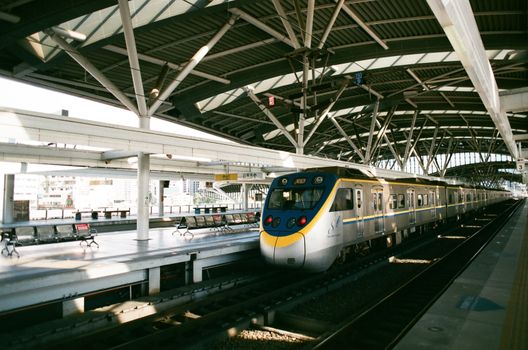
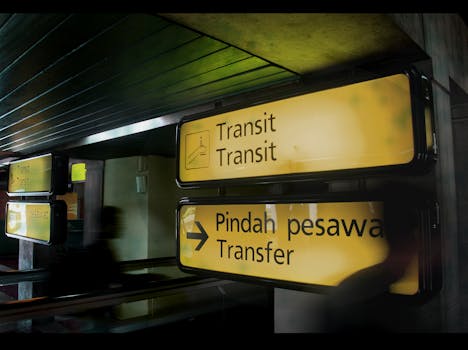
Not every JFK trip involves one building. Some itineraries land in one terminal and depart from another, and a few travelers deliberately switch terminals to reach a specific lounge or a specific restaurant. Whatever the reason, plan the transfer before you book rather than after you land. The interactive map is built to help you find your way between terminals, and it marks AirTrain stations alongside the buildings, so it answers the practical question of how you get from where you are to where you need to be.
Build the transfer into your timing rather than treating it as free. A change of terminal means leaving one building, moving, and going through whatever screening your onward flight requires. Confirm current AirTrain service and station access on the airport site before you rely on it, and if your connection is tight, ask your airline about protected connections and minimum connection times for the airport rather than assuming a number.
Ride App Pick-Up and Drop-Off
Ride share at JFK is organized around designated zones rather than the nearest curb. The airport’s interactive map includes ride app pick-up, and it also marks ride pick-up and drop-off areas more generally, which is the detail to check before you order a car. Confirm your terminal’s assigned area in the app at the moment you request the ride, since the map and the app should be showing the same location. If they disagree, follow the app you are actually being picked up through and ask the driver to confirm.
Inside the Terminal: Gates, Dining, and Lounges
Terminal 4 gives a useful sense of scale. A walkthrough of the building covers a large departures hall, a spread of retail and dining, and the gate areas beyond, which is a reminder that “arrive at the terminal” and “arrive at the gate” are two different moments on a JFK trip. The interactive map handles the second one: find your gate, then note what sits between security and that gate so you are not doubling back for coffee with ten minutes to spare.
Lounge access is worth checking at the same time. Delta’s own JFK map and lounge information covers Delta Sky Club and partner lounges, and the airport map carries a lounges and clubs layer. If a lounge is part of your plan, confirm eligibility and location with the airline you are flying, because access rules belong to the airline and not to the airport.
Timing Your JFK Arrival
There is no single arrival window that fits every JFK flight, and any guide that hands you a fixed number is guessing. Your airline sets the recommended check-in and arrival time for your specific flight, and that recommendation accounts for your terminal, your destination, and whether you are checking bags. Read it on your confirmation and follow it.
Three things are worth adding on top of whatever your airline says. First, add buffer for the walk from curb to check-in, which at JFK can be a real distance. Second, add buffer for a terminal change if your trip involves one. Third, add buffer for the gap between security and your gate, which the terminal maps make easy to estimate once you know the gate number. Travelers who build in those three pieces of slack tend to be the ones who arrive at the gate calm rather than sprinting.
Security wait times are not something this guide can predict, and published estimates vary by hour and by terminal. Check live information from the airport or your airline on the day, and remember that a terminal handling a heavy international departure bank can look very different from one handling domestic traffic at the same hour.
Getting to JFK From Bayside and Northeast Queens
For readers in Bayside and the surrounding Queens neighborhoods, JFK is one of the two airports that shape travel planning, alongside LaGuardia. The terminal assignment still governs everything: confirm it, pull up the airport map, and check the ride pick-up and drop-off areas for that specific building before you leave. Ground transportation details, including current service options and designated zones, are published by the airport and by the operators themselves, so verify them on the day rather than relying on a post written months earlier.
A Short Pre-Flight Checklist
- Confirm your terminal and airline on your booking confirmation.
- Open the interactive map and zoom to that terminal.
- Note your gate area and anything you want to eat or buy before it.
- If you are changing terminals, map the route and add time for it.
- Check the ride app pick-up zone for your terminal before ordering.
- Follow your airline’s recommended arrival window, and add a little.
None of this takes long, and most of it can be done the night before. The payoff is a trip where the only surprises come from the airline rather than from the airport layout.
Frequently Asked Questions
How many terminals does JFK have?
JFK currently has five active terminals: 1, 4, 5, 7, and 8. All flights operate from those buildings. Terminal 3 was demolished in 2013 and Terminal 2 was shut down in 2023, which is why the numbering skips two digits. Your airline’s confirmation will tell you which of the active terminals your flight uses.
Does JFK have an official airport map?
Yes. The airport publishes an interactive map at maps.jfkairport.com that helps you find your way between terminals and gates and locate shopping, dining, the AirTrain, amenities, and ride pick-up and drop-off areas. A static map showing terminals, parking lots, and AirTrain stations is also available, and airlines publish their own terminal and lounge maps.
How do I get from one JFK terminal to another?
The airport’s interactive map is built to help you find your way between terminals and marks the AirTrain stations among the buildings. Confirm current AirTrain service and station access on the airport site before you travel, and build the transfer time into your plan rather than assuming it is instant, especially if you have a tight connection.
Where do ride apps pick up at JFK?
Ride app pick-up happens in designated areas rather than at the closest curb, and the airport’s interactive map includes ride app pick-up zones along with general ride pick-up and drop-off areas. Check the zone for your specific terminal before you request a car, and confirm the location in the app at the moment you order.
How early should I arrive at JFK?
Your airline sets the recommended arrival time for your flight, and it varies by terminal, destination, and whether you are checking bags, so follow the guidance on your confirmation. Add buffer for the walk from the curb, for any terminal change, and for the distance from security to your gate. Check live security information on the day of travel.